
SharePoint Information Architecture it’s a key term when you start thinking about SharePoint implementation. The first question in fact is what are we talking about? In many cases or system you will get different definition. For me SharePoint Information Architecture means focus on the content. Not technical stuff, but the content which are we going to store there. If you are interested more in the topic you read more at Microsoft Technet site. You can find there more information what SharePoint Information Architecture is.
Content which we are going to store we can divide to four main points:
- Documents
- List Content
- Web Sites
- Posts/Pages
In fact this is all what we can store in SharePoint. To fit this content exactly to our needs we can use following tools, which are provided to us by SharePoint:

Someone could ask what SharePoint is? We can get many answers here and everything could be true. But first of all it’s a platform which help us to store and manage content. In my opinion companies or users make general mistake when they try to use it to other things. Of course you can do it, but why? Then we will get complains from it people or developers that SharePoint is very challenging platform to manage or development. Of course if you build almost everything with it that could be a challenge , but for example if you develop CRM system base on SharePoint with code written from scratch why you don’t put it to different application?
SharePoint Information Architecture – four steps to success
In my opinion you need four steps to successfully implement SharePoint Information Architecture:
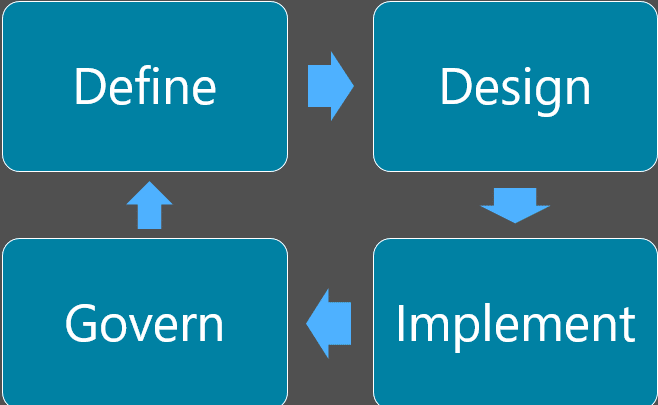
- Define. First and key element is a goal which we want to achieve. Without that every next step will fail and it will not have any sense. We have to know what kind of result we would like to get, what kind of problem we want to solve. Without that can’t properly design SharePoint Information Architecture. For example we want to provide to the end user fast search option of existing company information. If your goal is to make SharePoint implementation as other companies do, you can be in trouble…
- Design. When you make a design plan you have to decide which features will be needed to get expected result. For example do we need tags? Or maybe we need special search configuration?
- Implement. When we know what we would like to achieve we can go to implementation .
- Govern. When our SharePoint Information Architecture will be in place and all our goals will be reached we should take care about govern our solution. And this is very important as previous three points. We have to train our users how our solution works, how they should use it. Of course we have also monitor how users works with our solution as it could happen that after few weeks we will get huge mess in our SharePoint
How to do in real world I will show you in next post.